Pa’s Fridge

Dinner is already in your fridge.

Pa’s Fridge keeps track of the food in your kitchen, shows what to use first, and suggests meals from what you already have.

Free to start, on Android.

Pa, a smiling scallion, waving hello.

Meet Pa, the scallion who minds your fridge

Food gets forgotten at the back of the shelf. Pa remembers it for you, and speaks up before it goes off.

  • Take a photo of your fridge or a grocery receipt, and Pa lists what’s there.
  • Every item gets an estimated use-by date, so you don’t type them in.
  • Recipes that use what expires soonest are shown first.

What’s inside

Six things the app does, one at a time.

See what to use first

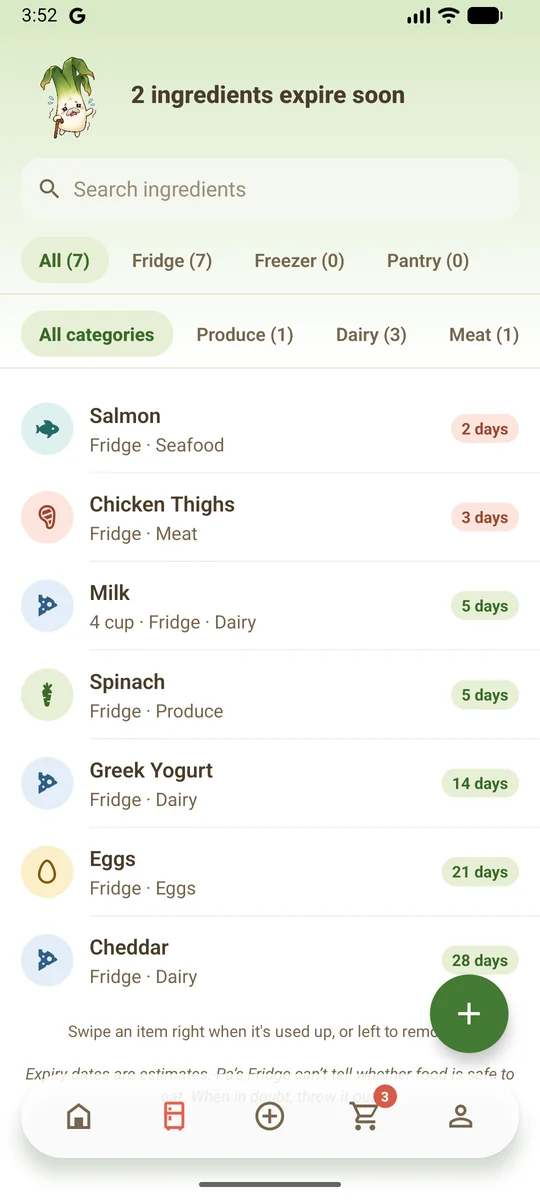
Everything in your fridge, freezer and pantry is in one list, with the soonest to expire at the top. Swipe an item when it’s used up and it goes on your shopping list.

The fridge screen: Pa says two ingredients expire soon, above a list of seven foods with the days each has left.

Cook from what you have

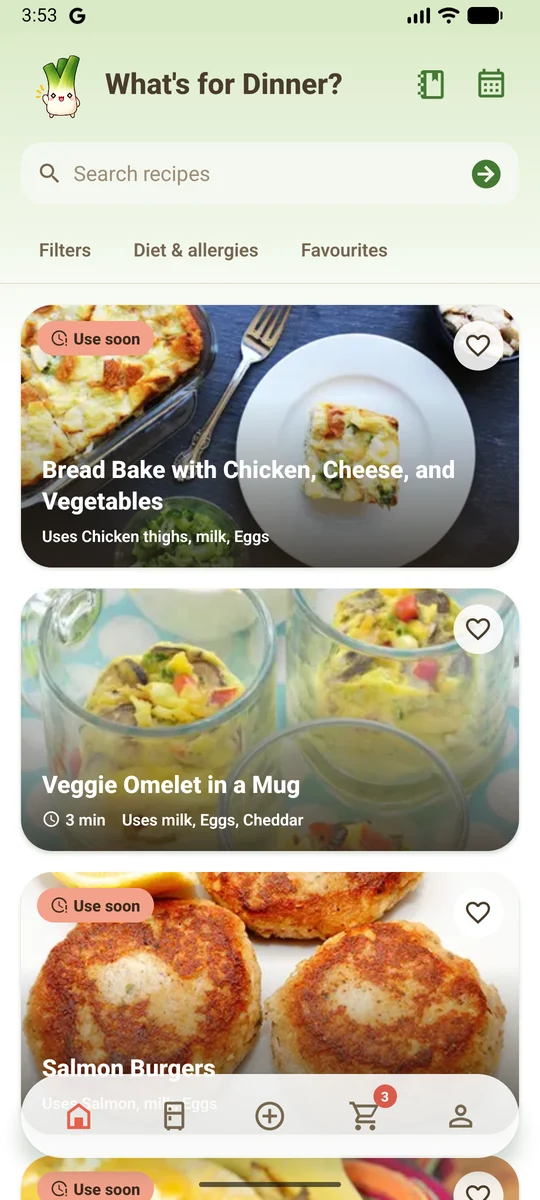
Each recipe shows which of your ingredients it uses and what you’d still need, with the ones that use soon-to-expire food first. Cook mode walks through the steps with a timer, then takes what you used off your list.

The What’s for Dinner screen: recipe cards marked Use soon, each naming the ingredients of yours it uses.

Add food in seconds

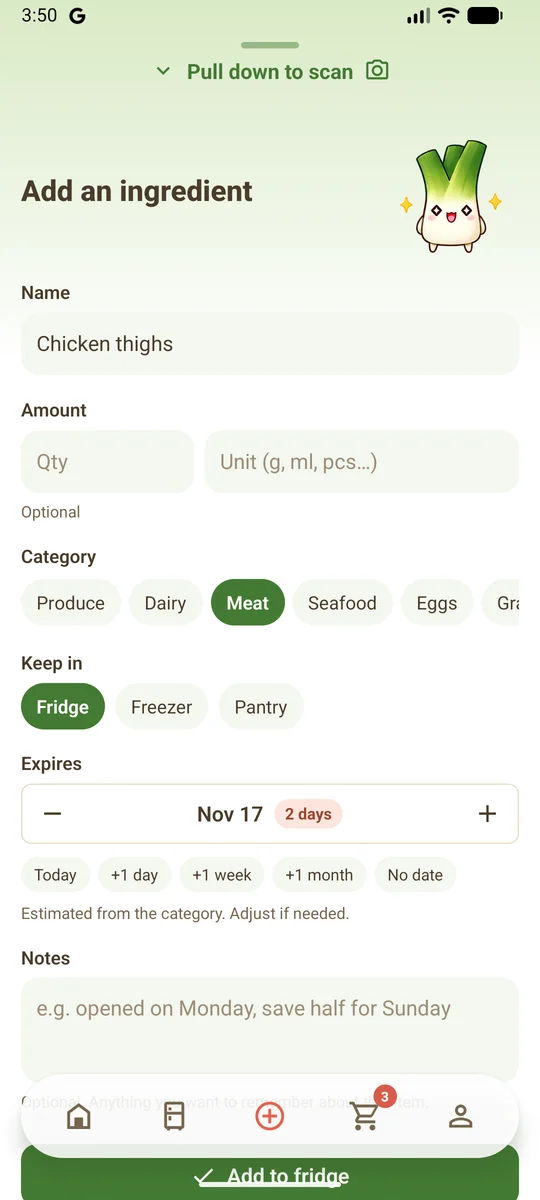
Scan a photo, or type a name and pick a category. The app fills in a use-by date, and one tap moves it by a day, a week or a month.

The Add an ingredient screen with chicken thighs: category, where it is kept and an estimated date two days away.

Save recipes from anywhere

Paste a website or YouTube link, a caption or a few screenshots, and get a recipe you can edit and keep. You can write your own too.

Pa with a hand on his chin, thinking.

Plan the week and the shop

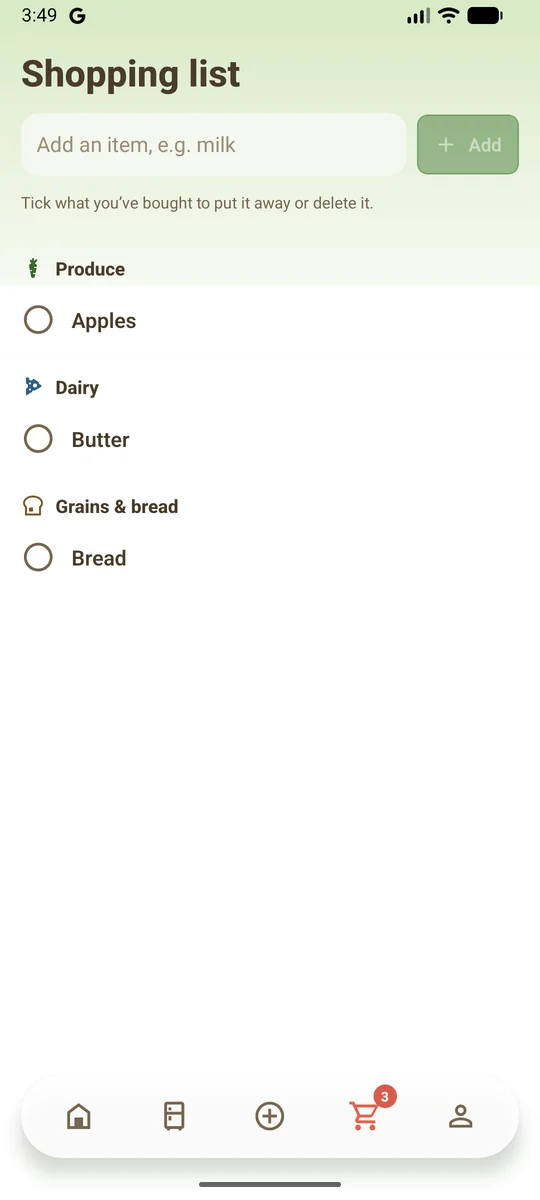
Put meals on a planner for the days ahead, and add any missing ingredient to your shopping list straight from the recipe.

The Shopping list screen: apples, butter and bread grouped by category, each with a tick box.

Share one fridge with your household

One invite code gives family or roommates the same fridge, shopping list and meal plan. Your own recipes stay private.

Pa cheering with his arms up.
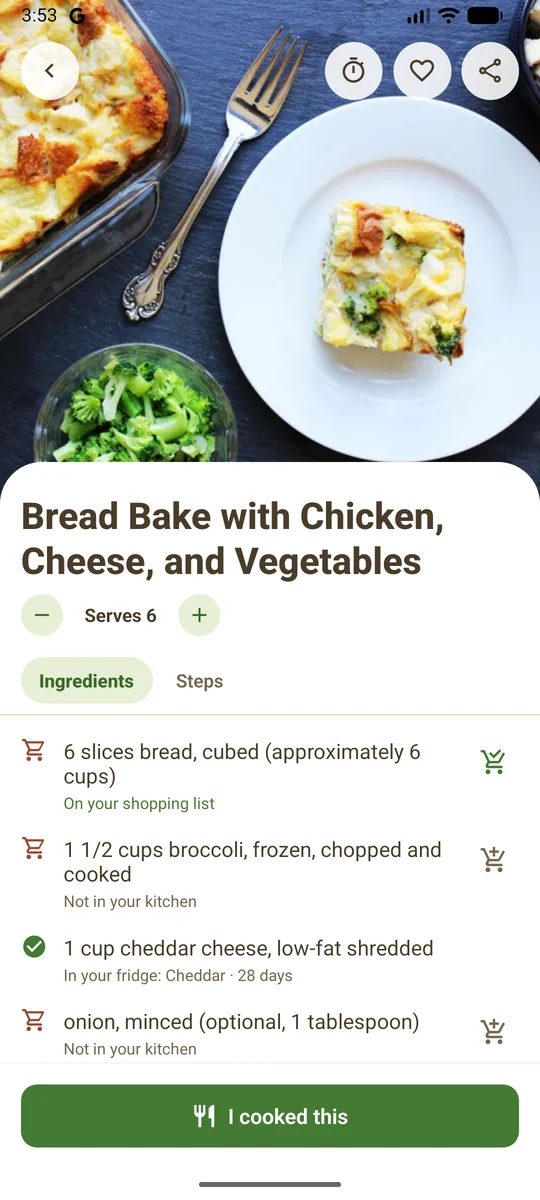
A recipe in Pa’s Fridge: its ingredients, marked as in your fridge, on your shopping list or not in your kitchen.

Get the app

Pa’s Fridge is being tested on Android now and is coming soon to Google Play. It’s free to start, with paid plans for people who scan a lot.

Ask for early access

Android phones first. An iPhone version isn’t available yet.

Contact

Questions, feedback, or want to try the app early? Send us a message and a person will reply.

Opens your email app with your message ready to send.

Or email us directly:

Common questions

Is Pa’s Fridge free?

Yes. The Basic plan is free and covers tracking your food, recipes, your shopping list and a few photo scans each week. Plus and Premium are optional paid plans with more scans and recipe imports, and extras such as nutrition and a week planner. They are bought through Google Play.

When can I download it?

The app is being tested now and is coming soon to Google Play. To try it early, email pasfridge@gmail.com.

Is there an iPhone version?

Not yet. Pa’s Fridge is on Android first.

Do I need an account?

No. You can track food and find recipes without one, and your data stays on your phone. Signing in is needed for photo scanning, recipe import and sharing with a household, and it backs up your data.

What happens to the photos I scan?

A photo is sent only when you press Scan. It goes through our server to Google Gemini to be read, and our server does not keep it. After the scan, the app deletes its copy and keeps only the list of ingredients.

How does household sharing work?

One person creates a household and shares an invite code. Everyone who joins sees the same fridge, shopping list and meal plan. A paid plan held by one member covers the whole household. Your own recipes are never shared.

How do I delete my data?

In the app, go to Settings and choose Delete account, or Delete all my data if you never signed in. You can also ask from the Delete your account page.

Terms of service

Privacy policy